
Texting Reports
Edited
Want to see how many messages your cluster has sent and received? SPARC Media Hub makes it easy!
Select Text System from the sidebar (If you do not see Text System, you do not have sufficient permissions)
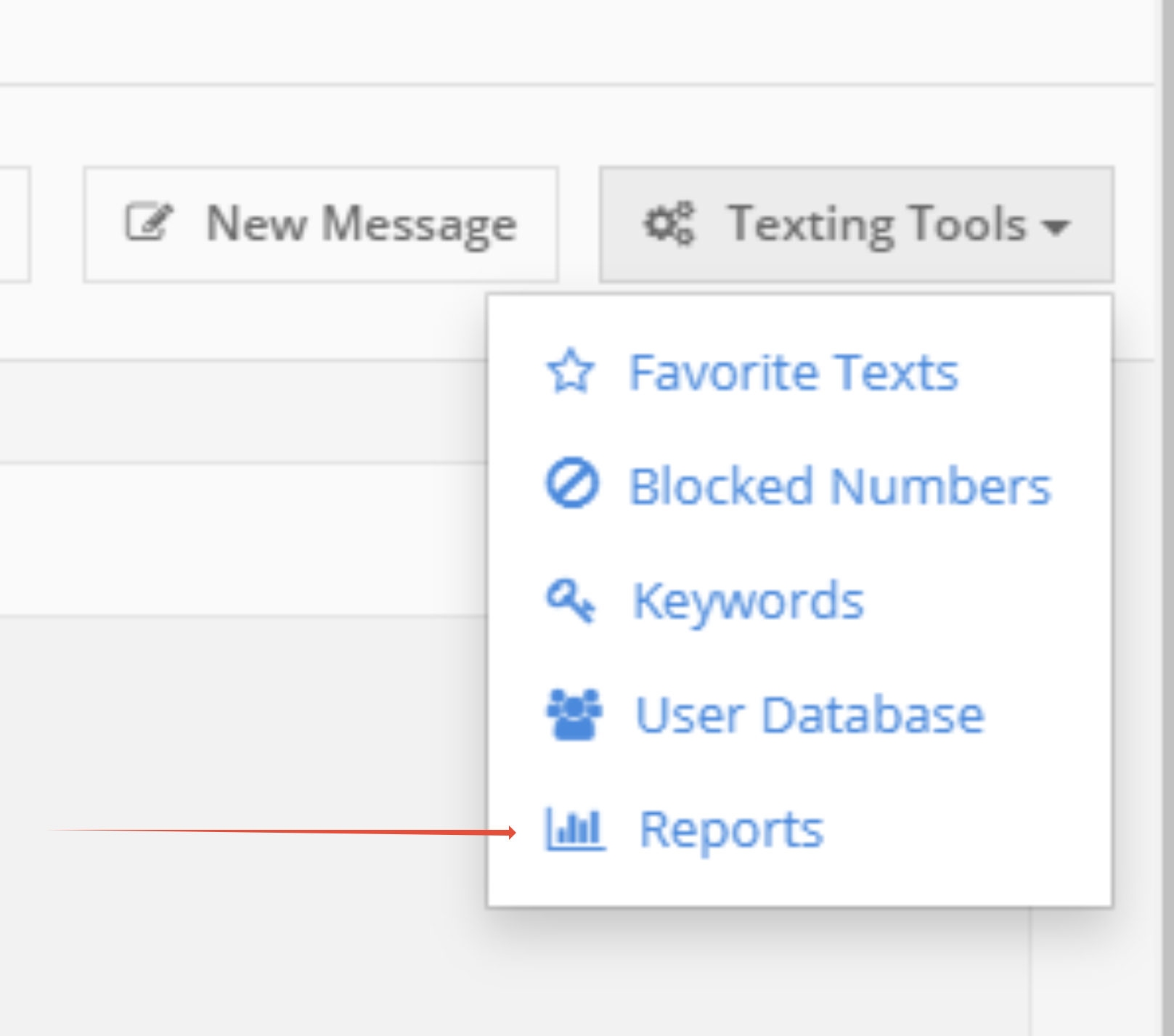
Select Texting Tools dropdown on the right-hand side of the texting platform
Select Reports
Select a start date and end date
Select which station to run the report for using the dropdown menu. You can also select all stations.
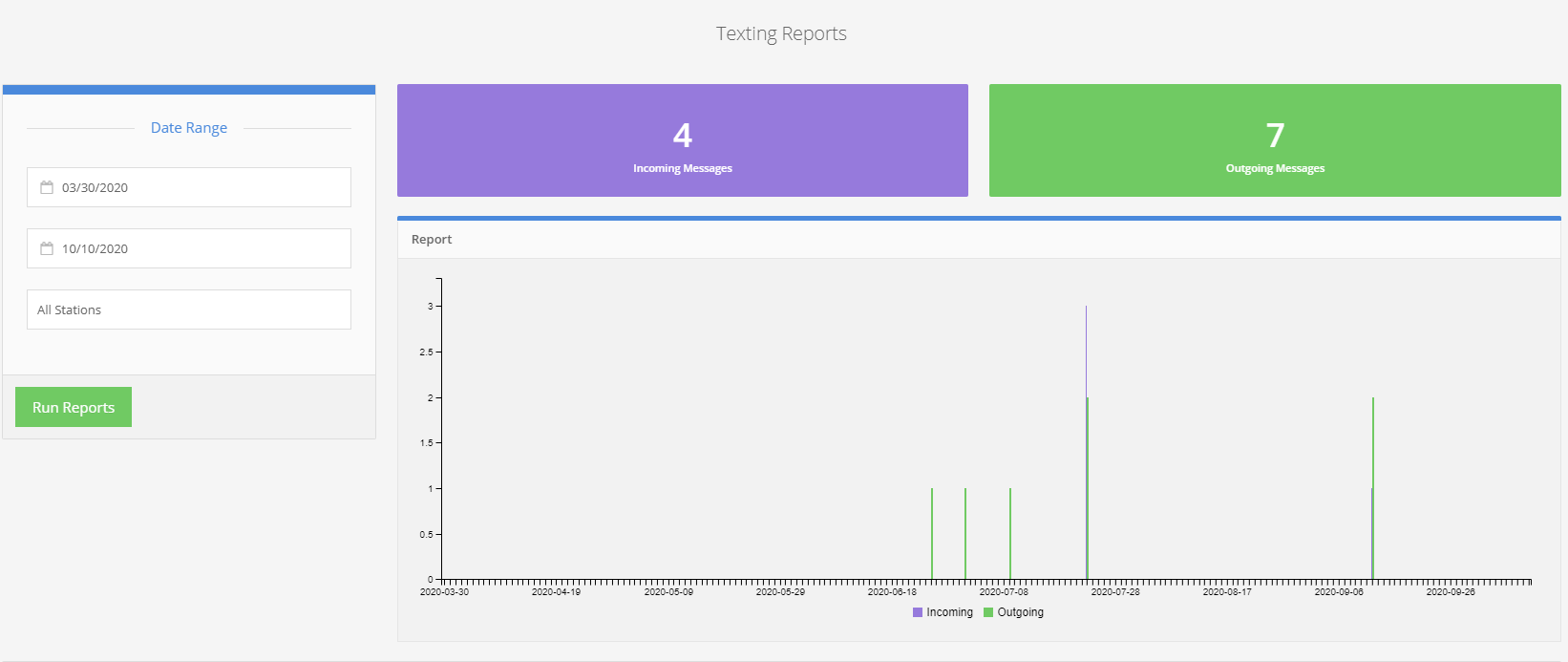
Click "Run Reports"
You will see how many text messages have been sent and received in your building. A graph shows you dates that you saw spikes or lulls in texting.
texting
reports
admin